Sage
A Mac assistant in the notch.
Hold a key, say what you want, let go. Sage works out what you meant, does the steps one after another, and ticks each one on the island as it finishes.
Hold, say, watch.
Each one as it looks on the island.
Hold to talk
Hold right Option and talk. Your words show up live on the island, in English, Italian or Chinese.
Steps you can watch
Say "I want to join the standup" and it finds the event, opens the call and turns your mic and camera off, ticking each step.
Asks first
A step that changes something shows its question and a line that fills over five seconds. A step others would see, that moves money or can't be undone, waits for your yes.
Hands it back
A Pay or Send button is never pressed for you. Sage outlines it and hands it back: "Stopped at Pay. It's yours to press."
Nine buttons it never presses
It outlines them and hands them back.
- Pay
- Send
- Buy
- Order
- Delete
- Sign
- Push
- Publish
- Share
The numbers
- 3 languages
- 5 s to say no
- 20 s on a step that can't be undone
- 50 lines of memory
Questions
Will it ever press Pay?
No. Pay, Send, Buy, Order, Delete, Sign, Push, Publish and Share are outlined and handed back.
Which key?
Right Option, or right Command, right Control or fn.
What if I say nothing?
Silence is no. A step others would see waits up to twenty seconds, then stops.
Does it remember?
Fifty lines, and anything it would do on its own is off until you turn it on.
Built with
A native Swift app for the island and the keys, and a Nuxt server that plans each step with Claude. A separate classifier model rates every step before it runs.
- Swift
- Nuxt
Next
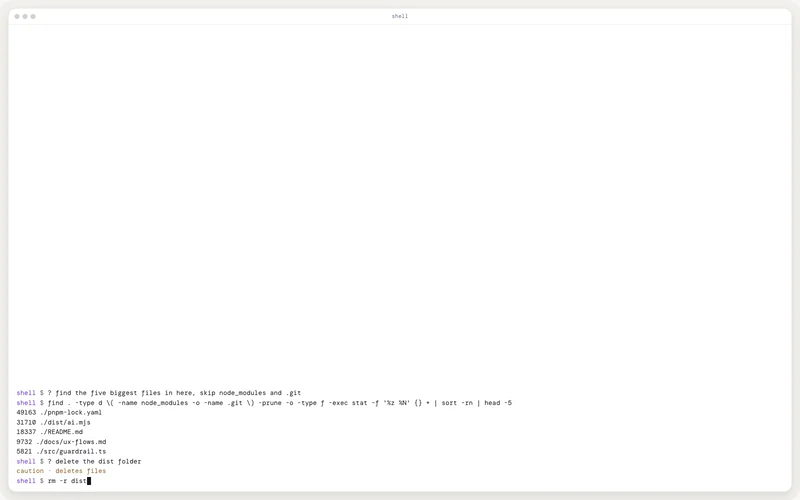
AI Shell
Type ? and say what you want. It writes the shell command, runs it when it only looks, and stops with a note before anything that deletes, overwrites or sends data off the machine.